
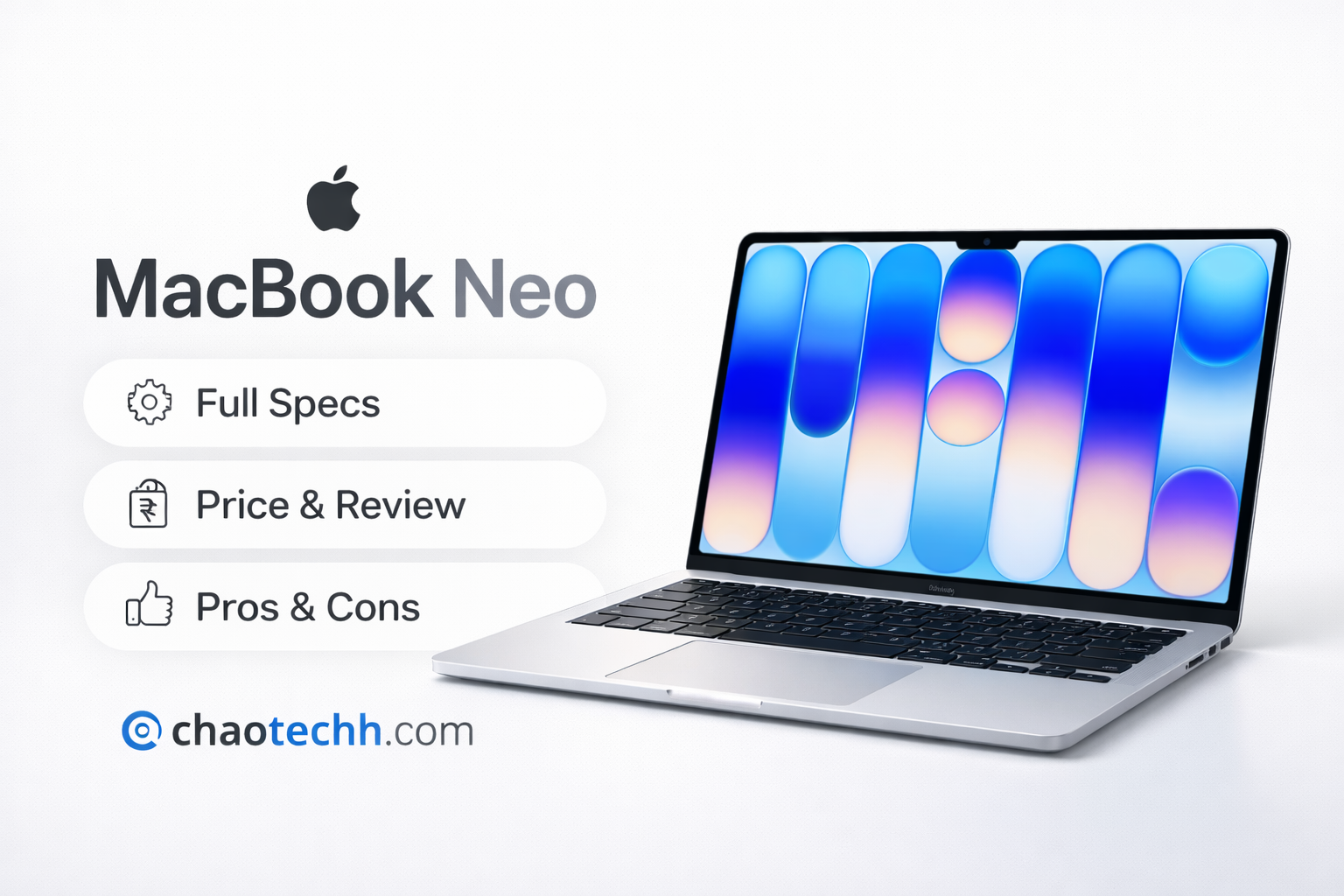
Welcome to our MacBook Neo review 2026 — the most comprehensive breakdown of Apple’s brand-new budget laptop you’ll find anywhere. On March 4, 2026, Apple unveiled the MacBook Neo: the most affordable Mac ever sold, starting at just $599. For a company that historically refused to go below $999 for a MacBook in its own stores, this is nothing short of a paradigm shift — and arguably the most important Mac launch in over a decade.
Powered by Apple’s A18 Pro chip — the same silicon that debuted in the iPhone 16 Pro — the MacBook Neo is notably the first Mac laptop to run on an iPhone-class chip rather than the M-series processors found in the MacBook Air and MacBook Pro. Furthermore, it comes in four colorful aluminum finishes, runs the latest macOS Tahoe with full Apple Intelligence support, and is squarely aimed at students, PC switchers, and first-time Mac buyers who’ve always been priced out.
In this MacBook Neo 2026 review, we’ll cover everything in detail: full technical specifications, what’s in the box, first impressions, pros and cons, who should buy it, and how it stacks up against the MacBook Air. Additionally, we’ve included an FAQ section addressing the most commonly searched questions about the device. In short, this is the only MacBook Neo guide you’ll need.
──────────────────────────────────────────────
📋 MacBook Neo (2026): At a Glance
| Starting Price | $599 (US) / £599 (UK) | Education: $499 |
| Release Date | Available March 11, 2026 (Pre-orders from March 4) |
| Chip | Apple A18 Pro (6-core CPU, 5-core GPU) |
| RAM | 8GB Unified Memory (non-upgradable) |
| Storage | 256GB (base) / 512GB (with Touch ID) |
| Display | 13-inch Liquid Retina, 2408×1506, 500 nits, 1B colors |
| Battery Life | Up to 16 hours wireless web |
| Colors | Silver, Blush, Indigo, Citrus |
| OS | macOS Tahoe (with Apple Intelligence) |
──────────────────────────────────────────────
⚙️ MacBook Neo Review 2026: Full Technical Specifications
Below is a complete spec sheet for the MacBook Neo, covering both the 256GB base model and the 512GB upgraded configuration. For the official listing, you can also check the
Below is a detailed breakdown of every specification for the MacBook Neo (2026), including both configurations. For official details, see the Apple MacBook Neo product page.

| Specification | Details |
| Processor | Apple A18 Pro chip — 6-core CPU (2 performance + 4 efficiency cores), 5-core GPU, 16-core Neural Engine |
| Unified Memory (RAM) | 8GB (fixed, not upgradable) |
| Memory Bandwidth | 60GB/s |
| Storage | 256GB SSD (base) | 512GB SSD (upgraded model) |
| Display | 13-inch Liquid Retina display |
| Resolution | 2408 x 1506 pixels at 219 pixels per inch (ppi) |
| Brightness | 500 nits (same as MacBook Air) |
| Color Support | 1 billion colors, sRGB (no P3 Wide Color, no True Tone) |
| Refresh Rate | 60Hz (no ProMotion 120Hz) |
| Front Camera | 1080p FaceTime HD (not 12MP like newer MacBooks) |
| Microphones | Dual microphones with directional beamforming; Voice Isolation & Wide Spectrum modes |
| Speakers | Dual side-firing stereo speakers with Spatial Audio & Dolby Atmos |
| Keyboard | Color-matched Magic Keyboard (no backlight) |
| Trackpad | Physical Multi-Touch trackpad (no Force Touch) |
| Touch ID | Only on 512GB model (power button) |
| Ports | Two USB-C: Left = USB 3 with DisplayPort 1.4 | Right = USB 2 only |
| External Display | 1x 4K display at 60Hz (via left USB-C port) |
| Charging | USB-C only (no MagSafe) |
| In-Box Charger | 20W USB-C Power Adapter |
| Wi-Fi | Wi-Fi 6E (2.4GHz, 5GHz, 6GHz) |
| Bluetooth | Bluetooth 6 |
| Headphone Jack | 3.5mm headphone jack (left side) |
| Battery Life | Up to 16 hours wireless web | Up to 18 hours video streaming |
| Weight | 2.7 lbs (1.24 kg) |
| Build Material | Durable recycled aluminum enclosure (90% recycled aluminum) |
| Recycled Content | 60% recycled content by weight — highest of any Apple product ever |
| Colors | Silver, Blush, Indigo, Citrus |
| Notch | No notch (thicker bezels, iPad-style design) |
| Operating System | macOS Tahoe (free update) |
| Apple Intelligence | Full support |
| Chip Generation | First Mac to use an A-series chip (not M-series) |
| Price (US) | $599 (256GB) | $699 (512GB) | Education: $499 / $599 |
| Price (UK) | £599 (256GB) | £699 (512GB) |
──────────────────────────────────────────────
📦 MacBook Neo 2026 Review: What’s in the Box?
Apple keeps the MacBook Neo packaging minimal and eco-friendly. The laptop ships in a 100% fiber-based box as part of Apple’s ongoing commitment to removing plastic from all product packaging. Here is exactly what you’ll find inside the box when it arrives:
- MacBook Neo (in your chosen color: Silver, Blush, Indigo, or Citrus)
- 20W USB-C Power Adapter
- USB-C Charge Cable (1.5 meter)
- Documentation (Quick Start Guide, regulatory information)
Note for UK and European buyers: Apple no longer includes a power adapter plug in every market by default in some regions due to regional regulation changes — double check your package includes the appropriate adapter for your country’s outlets. Furthermore, the MacBook Neo does NOT come with a USB-C to USB-A adapter or any dongles, so if you rely on USB-A accessories (like older thumb drives or mice), you’ll want to budget for a USB-C hub or adapter separately.
In contrast to the MacBook Air, which ships with a 40W Dynamic Power Adapter and a longer 2-meter USB-C MagSafe 3 cable, the Neo’s 20W adapter is notably smaller and slower for charging. Additionally, the 1.5-meter cable is shorter — fine for desktop use, but worth bearing in mind if you need more reach.
──────────────────────────────────────────────
👀 MacBook Neo Review 2026: First Impressions & Hands-On
Tech journalists and media got their first hands-on time with the MacBook Neo at Apple’s event in New York City on March 4, 2026. Here’s what the general consensus was straight out of the box:

Design & Build Quality
Right out of the box, the very first thing everyone noticed: it looks and feels like a MacBook. Constructed from durable recycled aluminum — the same premium material used in the MacBook Air and MacBook Pro — the Neo is genuinely surprising at a $599 price point. In comparison, Windows laptops in this price range are typically plastic, and often feel it.
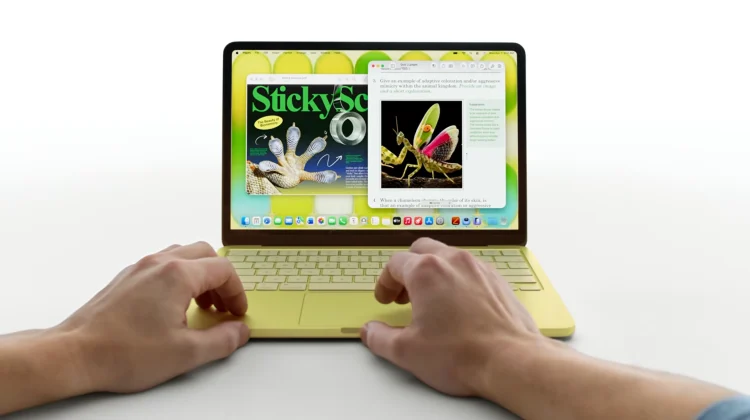
Notably, the Neo is slightly thicker than the MacBook Air, giving it a boxier side profile — but this isn’t a dealbreaker. If anything, it gives it its own distinct identity. Moreover, the four color options (Silver, Blush, Indigo, and Citrus) are vibrant and fresh, with color-matched keyboards and even color-matched rubber feet on the bottom. In particular, the new Citrus yellow is particularly eye-catching.
Interestingly, there is no notch on the MacBook Neo — Apple went with an iPad-style design featuring thicker bezels all around the display. As a result, this design will actually be welcomed by users who disliked the notch on the MacBook Air and MacBook Pro. While the bezels are noticeably thicker than on Apple’s pricier laptops, they don’t feel out of place or cheap.
Display
Bright, sharp, and genuinely impressive for the price — that’s the best way to describe the 13-inch Liquid Retina display. At 500 nits of brightness and 2408×1506 resolution, it’s on par with what the MacBook Air offered in its earlier generations — images, videos, and text all look crisp and vivid. However, it notably lacks True Tone (which adjusts color temperature to your environment) and P3 Wide Color gamut, both of which are present in the MacBook Air and MacBook Pro. Nevertheless, for most everyday users — students, casual creatives, web workers — this display will be more than adequate.
Keyboard & Trackpad
Using the same scissor-switch mechanism as post-2019 MacBooks, the keyboard delivers a satisfying and accurate typing experience. However, it has no backlight — a cost-cutting measure that will be noticeably limiting when working in low-light environments. Similarly, the trackpad is a physical click trackpad rather than Apple’s Force Touch trackpad found in the Air and Pro. It still supports all Multi-Touch gestures and feels perfectly usable; it’s simply different from what seasoned Mac users expect.
Performance: MacBook Neo 2026 vs the Competition
According to Apple, the MacBook Neo is up to 50% faster for everyday tasks compared to the bestselling Intel Core Ultra 5-based PC laptop. It’s also reported to be up to 2x faster for photo editing and 3x faster for on-device AI workloads. While these are marketing benchmarks, hands-on impressions consistently confirm that the A18 Pro handles everyday computing — web browsing, document editing, video streaming, and light photo editing — with total ease.
That said, this MacBook Neo review 2026 would be incomplete without noting the chip ceiling. The Neo is NOT on par with the M4 or M5-powered MacBook Air or MacBook Pro. Specifically, its memory bandwidth of 60GB/s is half of the MacBook Air’s 120GB/s. For independent benchmark data, Geekbench publishes full A18 Pro CPU and GPU scores. Consequently, for demanding workflows like 4K video editing, 3D rendering, or heavy multitasking, you’ll feel the difference.
Battery Life
Apple advertises up to 16 hours of wireless web browsing and up to 18 hours of video streaming. Encouragingly, early hands-on impressions suggest these are realistic estimates. For a $599 laptop, getting through a full workday and then some on a single charge is remarkable — and it significantly outperforms the Windows laptops it’s competing with. However, it does fall short of the MacBook Air, which offers up to 18 hours of web browsing and up to 20 hours of video playback.
──────────────────────────────────────────────
✅ MacBook Neo Review 2026: Pros — What We Love
Overall, the MacBook Neo gets a lot right for its price bracket. If you want a quick summary before diving in, check out our Best Budget Laptops 2026 roundup to see how the Neo ranks against the competition. Here are all the standout advantages, grouped by category:
💰 Value & Pricing
✔Breakthrough Price: Apple’s cheapest-ever MacBook — $599 retail, $499 for students
✔Premium Build Quality: Solid recycled aluminum build that feels premium at the price point
✔Perfect for Its Target Audience: Ideal for students, first-time Mac buyers, and PC switchers
✔Environmentally Friendly: 90% recycled aluminum housing — Apple’s most eco-friendly Mac yet
⚡ Performance & Battery
✔Strong Everyday Performance: A18 Pro chip handles everyday tasks and light creative work with ease
✔Excellent Battery Life: Up to 16 hours of web browsing battery life — all-day and then some
✔Apple Intelligence Built-In: Full Apple Intelligence support — Siri, Writing Tools, Image Playground, and more
🖥️ Display & Design
✔Great Display for the Price: Sharp 13-inch Liquid Retina display with 500 nits and 1 billion colors
✔Colorful Design Options: Four vibrant, fun color options including the new Citrus yellow
✔No Notch: No notch — clean iPad-style bezel design preferred by many users
🍎 Software & Connectivity
✔Real macOS, Not iOS: Full macOS Tahoe experience — stability, security, and software ecosystem
✔Modern Wireless Standards: Wi-Fi 6E and Bluetooth 6 — future-proof wireless connectivity
✔Great Speakers for the Size: Spatial Audio and Dolby Atmos support for great sound from a laptop
──────────────────────────────────────────────
❌ MacBook Neo Review 2026: Cons — The Tradeoffs
Despite the strong value proposition, the MacBook Neo does make a number of real compromises to hit its price point. Here’s a full breakdown, organized by category:
🔧 Hardware & Performance Limitations
✘Non-Upgradable 8GB RAM: Only 8GB of RAM with no upgrade option whatsoever
✘iPhone Chip, Not M-Series: A18 Pro is an iPhone chip — significantly slower than M4/M5 in the MacBook Air
✘Lower Memory Bandwidth: Half the memory bandwidth (60GB/s) vs MacBook Air (120GB/s)
✘Not for Power Users: Not suitable for demanding creative or professional workflows (video editing, 3D, etc.)
⌨️ Input & Display Compromises
✘No Keyboard Backlight: Keyboard has no backlight — hard to type in dim or dark environments
✘No Touch ID on Base Model: Base 256GB model does not include Touch ID for fingerprint authentication
✘No Force Touch Trackpad: Physical click trackpad instead of the superior Force Touch trackpad
✘Display Limitations vs MacBook Air: Display lacks True Tone, P3 Wide Color, and any ProMotion refresh rate
✘Older 1080p Camera: 1080p FaceTime camera — other recent MacBooks have a superior 12MP camera
✘Thicker Bezels: Thicker bezels around the display compared to MacBook Air and Pro
🔌 Ports, Charging & Connectivity
✘Asymmetric USB-C Ports: Right USB-C port is only USB 2 speed — very slow for data transfers
✘No MagSafe, Slow 20W Charger: No MagSafe charging — only USB-C, and comes with a slow 20W charger
✘Single External Display Only: Only supports one external display (4K 60Hz max)
✘Shorter Battery Life Than Air: Battery life is shorter than MacBook Air (16 hrs vs 18 hrs)
──────────────────────────────────────────────
🎯 MacBook Neo 2026 Review: Who Should Buy It?
Ultimately, this MacBook Neo review 2026 is most useful if you know who it’s designed for. Apple has made a very deliberate product with a very specific audience in mind. If you’re also considering the higher-end option, read our MacBook Air M5 review for comparison. Here’s a clear breakdown to help you decide:
Buy the MacBook Neo if you are…
- A student who needs a reliable, affordable laptop for classes, assignments, and note-taking
- A first-time Mac buyer who has always wanted macOS but couldn’t justify $1,099 for a MacBook Air
- A Windows or Chromebook user looking to switch to the Apple ecosystem
- Someone whose main tasks are web browsing, email, streaming, word processing, and light photo editing
- A parent buying a laptop for a child, teenager, or college-going family member
- Anyone who wants a premium-feeling laptop in a fun color for under $600
Skip the MacBook Neo and upgrade to the MacBook Air if you…
- Do professional video editing, animation, 3D modeling, or music production
- Need more than 8GB of RAM for heavy multitasking or running virtual machines
- Rely on Touch ID daily and don’t want to spend $100 extra for the 512GB model
- Work frequently in dim lighting and need a backlit keyboard
- Need to connect multiple external displays
- Want the best display quality with True Tone, P3 Wide Color, or higher refresh rates
──────────────────────────────────────────────
🏆 MacBook Neo Review 2026: Final Verdict & Rating

Genuinely, the Apple MacBook Neo is one of the most exciting products Apple has released in years. Not because it’s the most powerful, not because it has the best display, and not because it breaks any technical records. Rather, it’s exciting because of what it represents: the Mac, finally, for everyone.
For $599 — or just $499 for students — you get a beautifully built aluminum laptop with a sharp Liquid Retina display, capable A18 Pro performance, all-day battery life, the full macOS experience, Apple Intelligence, modern wireless connectivity, and Apple’s legendary software support. Moreover, no $599 Windows laptop currently comes close to this package. You can buy the MacBook Neo directly from Apple or from authorised retailers.
Yes, there are compromises. The lack of keyboard backlighting, the slower USB 2 port on the right, the absence of Touch ID on the base model, and the 8GB RAM ceiling are all real limitations. However, they are appropriate limitations for the price and the target audience. If your workflow goes beyond the everyday, the MacBook Air remains the right choice. Nevertheless, for the vast majority of users — students, casual users, and PC switchers — the MacBook Neo is ultimately the Mac they’ve been waiting for.
──────────────────────────────────────────────
📊 MacBook Neo 2026 Review: Neo vs MacBook Air — Key Differences
In this MacBook Neo review 2026, the comparison against the MacBook Air is one of the most important questions buyers have. Here’s the full side-by-side breakdown. For a more in-depth look, see our dedicated MacBook Neo vs MacBook Air buying guide.
| Specification | Details |
| Starting Price | MacBook Neo: $599 | MacBook Air M5: $1,099 |
| Chip | MacBook Neo: A18 Pro (iPhone chip) | MacBook Air: M5 (Mac chip) |
| RAM | MacBook Neo: 8GB (fixed) | MacBook Air: 16GB (upgradable to 32GB) |
| Memory Bandwidth | MacBook Neo: 60GB/s | MacBook Air: 120GB/s |
| Display | MacBook Neo: 13″ 2408×1506, sRGB | MacBook Air: 13.6″ 2560×1664, P3 Wide |
| True Tone | MacBook Neo: No | MacBook Air: Yes |
| Keyboard Backlight | MacBook Neo: No | MacBook Air: Yes |
| Touch ID | MacBook Neo: 512GB model only | MacBook Air: Standard on all models |
| Trackpad | MacBook Neo: Physical click | MacBook Air: Force Touch |
| Charging | MacBook Neo: USB-C only (20W) | MacBook Air: MagSafe + USB-C (40W) |
| Notch | MacBook Neo: No notch | MacBook Air: Has notch |
| Battery Life (Web) | MacBook Neo: Up to 16 hrs | MacBook Air: Up to 18 hrs |
| External Display | MacBook Neo: 1x 4K 60Hz | MacBook Air: 2x external displays |
| Camera | MacBook Neo: 1080p | MacBook Air: 12MP |
| Base Storage | MacBook Neo: 256GB | MacBook Air: 512GB |
❓ MacBook Neo Review 2026: Frequently Asked Questions
Does the MacBook Neo 2026 support Apple Intelligence?
Yes — the MacBook Neo fully supports Apple Intelligence, Apple’s on-device AI platform. This includes Writing Tools, Image Playground, Genmoji, Smart Reply, and an upgraded Siri with deeper app integration. For a full overview, see Apple’s official Apple Intelligence page.
Can I upgrade the RAM on the MacBook Neo?
No. As noted throughout this MacBook Neo review 2026, the device comes with 8GB of unified memory and there is no option to configure more RAM — either at purchase or after the fact. If you need more than 8GB, you should consider the MacBook Air M5, which starts at 16GB.
Why does the MacBook Neo use an A18 Pro chip instead of M-series?
Apple used the A18 Pro — an iPhone chip — to hit a lower price point while still delivering solid everyday performance. The A18 Pro first appeared in the iPhone 16 Pro in 2024. As a result, this is the first time Apple has used an A-series chip in a Mac laptop, making the MacBook Neo a unique product in the Mac lineup.
Does the MacBook Neo come in different colors?
Yes! The MacBook Neo (2026) is available in four colors: Silver, Blush (pink), Indigo (blue-purple), and Citrus (yellow). All colors feature a color-matched keyboard, trackpad, and rubber feet, making it the most colorful MacBook lineup Apple has ever offered.
Is the MacBook Neo good for gaming?
It depends on what kind of gaming you have in mind. The MacBook Neo can handle casual games and titles from Apple Arcade. However, it is not a gaming laptop — the 5-core GPU and 8GB RAM ceiling mean demanding PC game ports will struggle. For a broader perspective on Mac gaming in 2026, see our Mac Gaming guide on chaotechh.com.
Can I connect an external monitor to the MacBook Neo?
Yes, but only one. The MacBook Neo supports a single external 4K display at up to 60Hz via the left USB-C port (USB 3 with DisplayPort 1.4). The right port is USB 2 only and does not support video output, which is one of the notable limitations highlighted in this MacBook Neo review 2026.
Does the MacBook Neo have MagSafe?
No. The MacBook Neo charges via USB-C only and does not include MagSafe. The included charger is a 20W USB-C power adapter. If you want faster charging, you can use a higher-wattage USB-C adapter (sold separately), though Apple has not published a maximum watt ceiling for the port.
──────────────────────────────────────────────
📌 MacBook Neo Review 2026: Final Thoughts
Overall, the Apple MacBook Neo (2026) is Apple’s boldest move in the laptop market in years. At $599 — $499 for students — it puts the Mac experience within reach of millions of people who previously couldn’t afford it. While it makes real compromises to get there, those compromises are carefully chosen and, for the most part, won’t matter to its target audience.
If you’re a student, a casual user, a PC switcher, or someone who simply needs a well-built, reliable laptop for everyday computing, the MacBook Neo is absolutely worth buying. In conclusion, it’s the best $600 laptop you can currently buy in 2026 — and it’s made by Apple. You can order the MacBook Neo from Apple.com or read our full Apple MacBook buying guide on chaotechh.com for more help choosing the right Mac.
Stay tuned to chaotechh.com for hands-on battery life tests, real-world performance benchmarks, and our dedicated MacBook Neo vs MacBook Air 2026 comparison. Subscribe to our newsletter to get notified the moment new MacBook Neo coverage goes live.
Keywords: MacBook Neo review 2026 Apple MacBook Neo 2026 MacBook Neo specs cheapest MacBook 2026 MacBook Neo vs MacBook Air A18 Pro MacBook MacBook Neo price best budget MacBook
[…] → Related: MacBook Neo : Best Budget Macbook ? […]
[…] MacBook Neo Review 2026: Full Specs, Pros & Cons, First Impressions, Box Contents & Everythi… […]
This product works quite well. It pointedly improves my golf by a lot.
talk about surprise!!!
Aw, this was an extremely nice post. Taking the time and actual effort to produce a great article… but what can I say… I put things off a lot and
don’t manage to get anything done.