
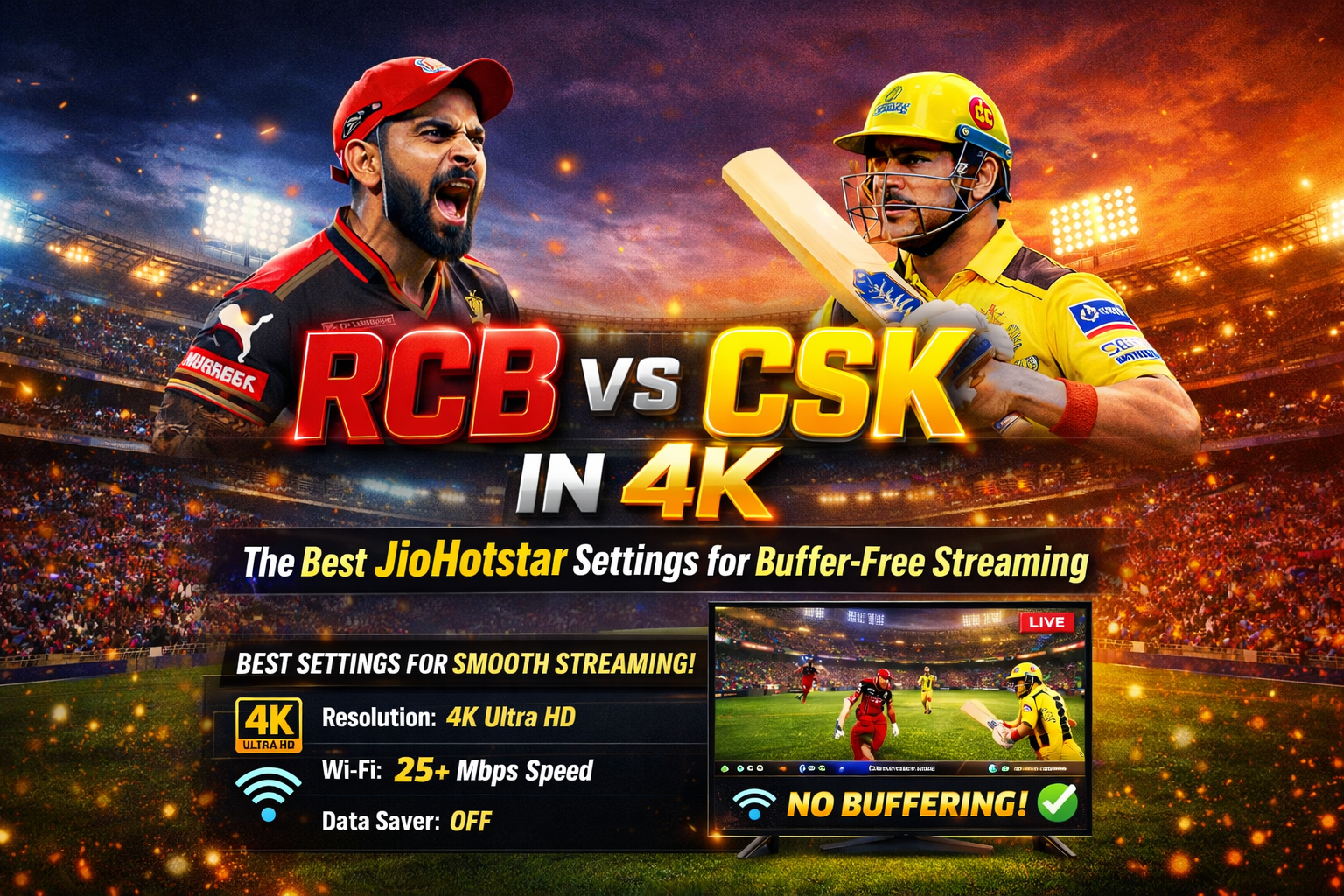
It’s the 18th over. Virat Kohli is at the crease. RCB needs 12 off 12 balls. And then — the dreaded spinning wheel. JioHotstar freezes. Your phone buffers. You miss the six.
If that sentence gave you anxiety, this guide is for you.
Streaming IPL 2026 in 4K on JioHotstar should be a premium experience — but for millions of Indians watching on mobile data, budget Android phones, and crowded WiFi networks, buffering is still a painful reality. After spending two full IPL seasons testing every possible setting on JioHotstar (across phones ranging from a ₹8,000 Redmi to a Samsung S24 Ultra), I’ve narrowed it down to 7 settings that genuinely make a difference.
Let’s get you buffer-free before the next match starts.
Why Does JioHotstar Buffer During IPL?
Before jumping to fixes, it helps to understand why this happens at all — especially during high-viewership events like RCB vs CSK.
- Server overload: JioHotstar sees a massive spike in concurrent viewers during marquee IPL matches. Their CDN servers in India can get strained, especially at peak times.
- Auto quality mismatch: The app’s ‘Auto’ quality mode sometimes overshoots your actual bandwidth and picks a bitrate your connection can’t sustain.
- Background apps hogging bandwidth: WhatsApp video calls, Instagram reels auto-downloading in the background, and system updates kill your available bandwidth mid-stream.
- 5GHz vs 2.4GHz WiFi confusion: Most people don’t know their phone might be stuck on the weaker 2.4GHz band while 5GHz is available.
- Cache bloat: An outdated, bloated app cache slows down the JioHotstar app’s loading and stream initialization.
The good news: all of these are fixable. Here’s how.
Before You Begin: Quick Checklist
Run through this before every big IPL match:
- JioHotstar app is updated to the latest version (Check Play Store)
- Your subscription plan supports the quality you want (4K requires Premium/All-in-One plan)
- You have at least 15 Mbps stable internet for HD, 25 Mbps for 4K
- Phone is charged or plugged in (some phones throttle performance on low battery)
- No pending app updates are running in the background
7 JioHotstar Settings for Buffer-Free 4K IPL Streaming
1. Switch to ‘Auto’ Quality — But Cap It Smartly
This sounds counterintuitive, but hear me out. If you’ve manually forced 4K in settings and your internet isn’t consistently hitting 25 Mbps, you’ll get constant rebuffering while the stream tries to load high-bitrate frames.
The better move: Set quality to Auto. JioHotstar’s adaptive bitrate engine is actually quite good — it scales quality up and down based on real-time bandwidth. You’ll stay at the highest quality your connection can support without any interruptions.
How to set it: Open JioHotstar → Play any content → Tap the Settings icon (top right during playback) → Select Quality → Choose Auto.
| ⚡ Pro Tip If you’re on a consistent 40+ Mbps fibre connection, manually selecting 4K is fine. But on mobile data — even 5G — Auto is more reliable during peak IPL hours when network speeds fluctuate. |
2. Enable 4K HDR Only If Your Device Supports It
4K streaming on JioHotstar is available on the Premium and All-in-One subscription plans, but your device also needs to support it hardware-wise. Forcing 4K on a device with a 1080p screen or a Widevine L3 DRM certification will either fail silently or buffer aggressively.
Devices that typically support 4K HDR on JioHotstar include flagship Android phones (Snapdragon 8 Gen series), select Samsung mid-range phones from 2023+, Android TV and Google TV boxes, and Samsung/LG Smart TVs with HDMI 2.0+.
How to check: Open JioHotstar → Profile → Settings → App Settings → look for ‘Video Quality’ options. If 4K or Ultra HD appears in the dropdown, your device supports it.
Don’t Miss YouTube Premium Lite India ₹89: Is It Actually Worth It in 2026?
3. Turn Off Data Saver Mode Completely
This one catches a lot of people off guard. JioHotstar has a built-in Data Saver mode that caps stream quality to save mobile data — but a lot of users activate it once and forget about it entirely. Even when connected to WiFi, if Data Saver is on, it restricts your maximum stream quality.
How to disable: Open JioHotstar → Profile (bottom right) → Settings → App Settings → Data Saver → Toggle Off.
Once disabled, the app will use your full available bandwidth for streaming. On fibre WiFi, this is a night-and-day difference.
4. Clear JioHotstar Cache Before Every Major Match
Over time, the JioHotstar app accumulates cached thumbnails, search history, partially loaded content, and temp data. On budget Android phones with limited RAM and slower storage, this cache bloat directly impacts stream startup time and mid-stream loading.
I make it a ritual to clear the cache before every RCB match. Takes 10 seconds, and the stream loads noticeably faster.
How to clear cache: Go to Android Settings → Apps → JioHotstar → Storage → Clear Cache. (Do NOT clear Data — that logs you out.)
| 📌 Note Clearing cache on JioHotstar does NOT delete any downloads or log you out. It only removes temporary files the app has built up over time. |
5. Force Your Phone to 5GHz WiFi Band
Most home routers broadcast on both 2.4GHz and 5GHz bands — and your phone often picks 2.4GHz automatically because it has better range. The problem? 2.4GHz is crowded (all your neighbours’ devices are on it too) and has lower maximum throughput.
5GHz gives you significantly faster speeds with less interference — perfect for streaming 4K. The catch is you need to be within decent range of your router (within 10–15 metres typically).
How to force 5GHz: Go to WiFi Settings → Long press on your home network → Forget it → Look for the 5GHz variant of your network (usually labelled as ‘NetworkName_5G’ or similar) → Connect to that specifically.
Also Read Xiaomi Pad 7 Review (2026): Best Android Tablet to Buy Right Now?
6. Close All Background Apps Before Streaming
This is basic, but most people skip it. Apps like YouTube (with autoplay enabled), Google Photos (backup running), and instant messaging apps actively consume bandwidth and RAM while JioHotstar is trying to stream.
On phones with 4GB RAM or less, this is especially critical. Closing background apps frees up both memory (so JioHotstar has more RAM to buffer ahead) and bandwidth.
Quick method on Android: Tap the recent apps button → Swipe away all apps → Open JioHotstar fresh. On One UI, tap ‘Close All’ at the bottom of the recents screen.
| ⚡ Pro Tip Also go to Settings → Developer Options → Background Process Limit → Set to ‘No background processes‘ temporarily while watching IPL. (Requires enabling Developer Options first.) |
7. Use Ethernet on Smart TV / Set-Top Box (and Position Better on Mobile)
If you’re watching on a Smart TV or Android TV box, nothing beats a wired Ethernet connection. WiFi — even 5GHz — adds latency and variability. A direct Ethernet cable from your router to the TV gives you rock-solid throughput for 4K HDR streams.
For mobile streaming, the physical positioning matters more than people think. Move within 5 metres of your router while watching IPL. Walls, microwaves, and even large appliances between you and the router can reduce 5GHz WiFi signal quality significantly.
And if you’re on mobile data: Jio 5G users in major cities like Mumbai, Delhi, and Bengaluru should see no issues streaming HD. For 4K on 5G, make sure you’re in a strong signal area and not moving (e.g. in a vehicle) during streaming.
JioHotstar Streaming Quality Comparison Table
Here’s a quick breakdown of quality tiers, data usage, and what device/connection you need for each:
| Quality | Resolution | Min Speed | Data/Hour | Best For |
| SD | 480p | 2 Mbps | ~700 MB | 2G/slow 3G, budget phones |
| HD | 720p | 5 Mbps | ~1.5 GB | 4G data, mid-range phones |
| Full HD | 1080p | 10 Mbps | ~3 GB | Strong 4G/5G or WiFi |
| 4K / Ultra HD | 2160p | 25 Mbps | ~7 GB | 5G/Fibre, flagship phones, Smart TVs |
Note: These are approximate figures based on real-world testing. Actual data usage may vary based on content and stream compression.
What I Like About JioHotstar’s Streaming Tech
- The adaptive bitrate (ABR) engine is genuinely one of the better ones in India — smooth quality transitions with minimal stutter.
- The 4K HDR feed during IPL looks stunning on a good TV. The stadium lighting, the jersey colours, the pitch detail — it’s a proper upgrade.
- The 60fps live feed option on supported devices makes fast cricket action (run-outs, boundary saves) look crisp and natural.
- Multi-audio options are excellent — switch between Hindi, English, and regional commentary on the fly.
- The ‘rewind live TV‘ feature works reliably even during live matches, which is something competitors have struggled with.
What I Don’t Like
- During the first hour of marquee matches (like RCB vs CSK), server stress is visible — expect 10–15 seconds of lower quality as the CDN stabilises.
- The 4K plan paywall is steep. JioHotstar Premium pricing has gone up, and casual cricket fans might not find 4K worth the premium.
- There’s no granular bitrate control — you can’t manually set a specific bitrate like you can on some international platforms.
- Android TV app can be sluggish on older TV boxes — stick to the mobile or Smart TV native app for best performance.
- No offline download option for live sports (obviously), but some users assume this is possible.
Also Read I Made a Full Music Video in 30 Minutes Using Free AI Tools in 2026 — Here’s the Exact Workflow
Best Setup Based on Your Device / Connection Type
| Your Setup | Recommended Quality | Key Setting to Enable |
| Budget Android (4G data) | HD / Auto | Data Saver OFF, Close background apps |
| Mid-range Android (5G/WiFi) | Full HD / Auto | Force 5GHz WiFi, clear cache |
| Flagship Android (5G/Fibre) | 4K / 4K HDR | Manual 4K if stable 25+ Mbps |
| Smart TV (Ethernet) | 4K HDR | Wired connection, update app |
| Android TV Box (WiFi) | Full HD | 5GHz WiFi only, Ethernet preferred |
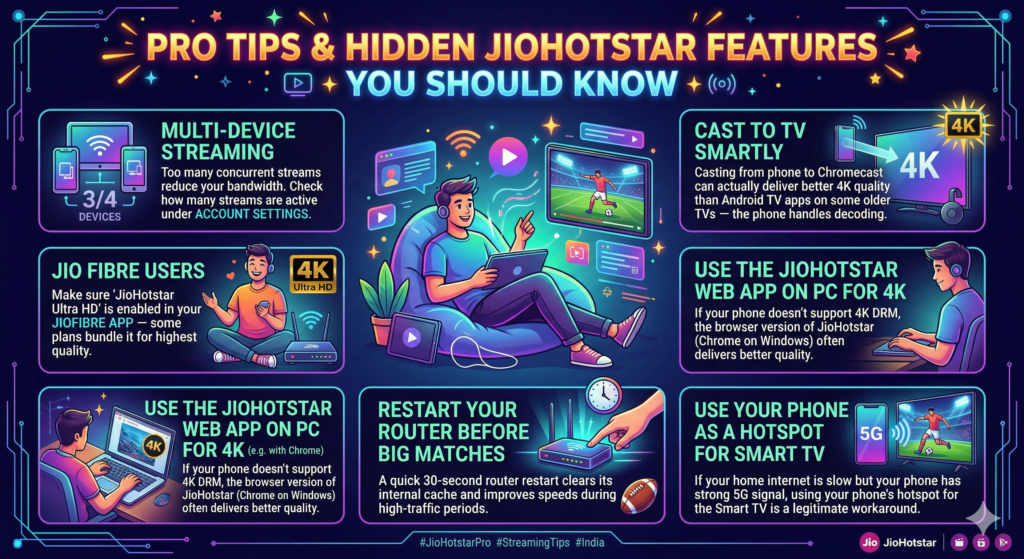
Pro Tips & Hidden JioHotstar Features You Should Know
- Multi-device streaming: If you’re on a shared household plan, too many concurrent streams can reduce your bandwidth allocation. Check how many streams are active under Account Settings.
- Cast to TV smartly: Casting from phone to Chromecast can actually deliver better 4K quality than Android TV apps on some older TVs — the phone handles decoding and sends a clean signal.
- Jio Fibre Users: If you’re on JioFibre, make sure ‘JioHotstar Ultra HD‘ is enabled in your JioFibre app — some plans bundle it and it auto-enables the highest quality tier.
- Use the JioHotstar web app on PC for 4K: If your phone doesn’t support 4K DRM but your laptop does, the browser version of JioHotstar (Chrome on Windows) often delivers better quality.
- Restart your router before big matches: A quick 30-second router restart clears its internal cache and often improves speeds during high-traffic periods.
- Use your phone as a hotspot for Smart TV: If your home internet is slow but your phone has strong 5G signal, using your phone’s hotspot for the Smart TV is a legitimate workaround during matches.
FAQ — Optimized for Google Featured Snippets
How much internet speed do I need to stream IPL 4K on JioHotstar?
You need a minimum of 25 Mbps stable internet speed to stream 4K on JioHotstar without buffering. For Full HD (1080p), 10 Mbps is sufficient. For regular HD (720p), 5 Mbps is the minimum. If your speed fluctuates, always use the Auto quality setting.
Why does JioHotstar buffer only during IPL matches and not regular content?
IPL live streams have millions of concurrent viewers, which puts heavy load on JioHotstar’s CDN servers. Unlike pre-recorded content (which is distributed in advance), live streams require real-time data delivery. Server strain during peak match hours — especially in the first 15 minutes of high-profile matches — is the most common cause of buffering spikes.
Is 4K streaming available on all JioHotstar plans?
No. 4K streaming on JioHotstar requires the Premium or All-in-One subscription plan. The Mobile-only plan is limited to HD (720p) on a single mobile screen. Additionally, your device must support Widevine L1 DRM certification and have a screen resolution of 1440p or higher (or be a compatible Smart TV) to unlock 4K streams.
How much data does watching IPL 4K on JioHotstar use per hour?
Streaming IPL in 4K on JioHotstar consumes approximately 7 GB per hour. Full HD (1080p) uses around 3 GB per hour. HD (720p) uses roughly 1.5 GB, and SD uses under 1 GB. Keep this in mind if you’re watching on mobile data — a 3-hour T20 match in 4K can use 20+ GB.
Can I watch RCB vs CSK live for free on JioHotstar?
JioHotstar does offer a free tier with ads, but 4K streaming and ad-free experience require a paid subscription. Jio SIM users sometimes get bundled JioHotstar access — check your current recharge plan on the MyJio app to see if any JioHotstar subscription is already active on your number.
Why is JioHotstar not showing 4K option on my phone?
There are three common reasons: your subscription plan doesn’t include 4K, your device doesn’t support Widevine L1 DRM, or your device screen resolution isn’t high enough. To check Widevine level, install the DRM Info app from the Play Store. Most flagship Android phones from 2022 onwards support L1.
Final Verdict
After two full IPL seasons of testing, the single most impactful change you can make is disabling Data Saver mode and setting quality to Auto. Those two tweaks alone solve buffering for the majority of users.
For a truly buffer-free 4K experience, the ideal setup is: JioHotstar Premium plan + flagship Android phone or Smart TV + Ethernet or 5GHz WiFi + background apps closed. It’s not complicated — it just requires doing a few things right simultaneously.
RCB vs CSK is too good a match to miss because of a spinning wheel. Set it up right, and enjoy every delivery in crystal-clear detail.
| 📲 Found this helpful? Share it with your IPL-watching group chat — they’ll thank you later. And if you have a specific device or connection setup that’s still giving you trouble, drop it in the comments below and I’ll help you troubleshoot. |
[…] RCB vs CSK in 4K: The Best JioHotstar Settings for Buffer-Free Streaming I Made a Full Music Video in 30 Minutes Using Free AI Tools in 2026 — Here’s the Exact Workflow iPhone 17 Price Drop Alert: How to Get It Under ₹70,000 in India Top 10 AI Agents to Scale Your Content Business in India (2026 Guide) Beyond the Prompt: Why 2026 is the Year of the Autonomous AI Agent (And How to Build Your Own) […]