
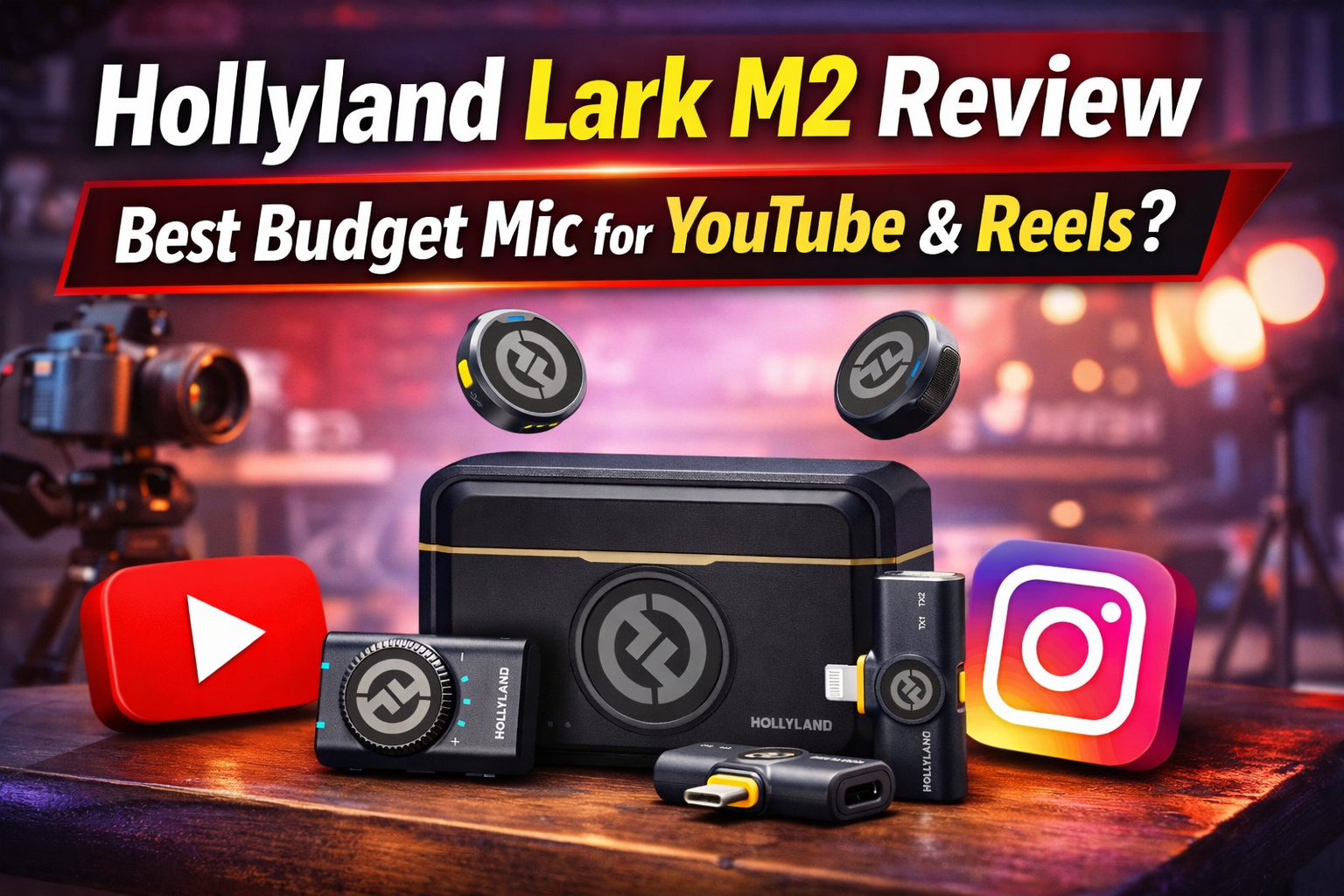
Let me be completely honest with you — when I first started recording videos for my channel, my biggest nightmare wasn’t the camera, the lighting, or even the editing. It was the audio. I was using my phone’s built-in mic, and the results were, to put it mildly, embarrassing. Every video had that annoying room echo, background fan noise, and a weird hollow quality that made me sound like I was recording from inside a bathroom. People actually commented on it.
So I went on a mission. I researched wireless mics for weeks, watched 30+ YouTube reviews, read spec sheets at 1 AM — you know the drill. And the one mic that kept showing up, especially in beginner-friendly recommendations, was the Hollyland Lark M2. After using it as my primary microphone for months now, I have some strong opinions. This review is everything I wish I had read before buying.
Quick Verdict
| Category | Rating | Notes |
| Audio Quality | 9/10 | Crystal clear, 48kHz/24-bit Hi-Fi |
| Design & Build | 9/10 | Tiny 9g button mic, premium feel |
| Ease of Use | 10/10 | Zero setup, auto-pairs on unboxing |
| Battery Life | 9/10 | 10 hrs TX + 40 hrs with case |
| Value for Money (India) | 9/10 | ~Rs. 12,000-14,000 for Combo |
| Noise Cancellation | 8/10 | Works well, limited fine control |
| Overall Score | 9/10 | Best budget wireless mic for beginners |
What Is the Hollyland Lark M2?
The Hollyland Lark M2 is a compact wireless lavalier microphone system designed primarily for content creators — YouTubers, vloggers, Instagram Reels creators, podcasters, and interviewers. Hollyland, a Shenzhen-based audio company, released it in January 2024 as the successor to the popular Lark M1.
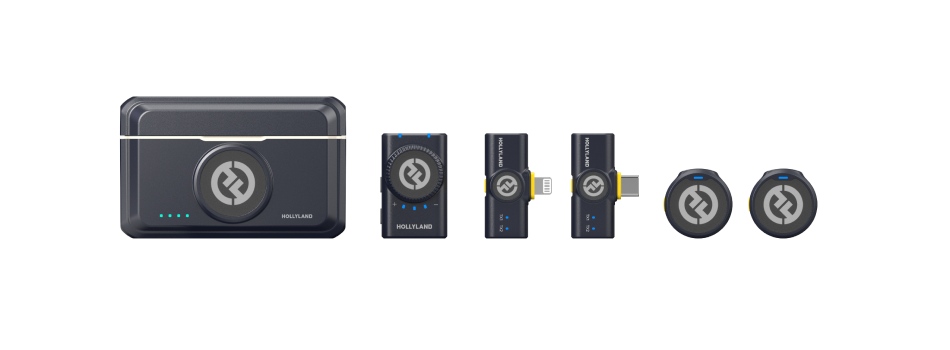
What makes it stand out immediately is the transmitter design. Unlike the square, boxy transmitters you see on most budget wireless mics, the Lark M2 uses a round, coin-shaped button transmitter that weighs just 9 grams. Yes, 9 grams. That’s less than a 10-rupee coin. You clip it on, and it practically disappears.
Which Version Should You Buy? (India Buyers Guide)
Hollyland sells the Lark M2 in multiple configurations. Here’s a quick breakdown so you don’t end up buying the wrong one:
| Version | What’s Included | Best For | Approx. India Price |
| Camera Version | 2 TX + Camera RX (3.5mm) | DSLR / Mirrorless users | ~Rs. 10,000 |
| Mobile Version (USB-C) | 2 TX + USB-C RX | Android phone creators | ~Rs. 9,500 |
| Mobile Version (Lightning) | 2 TX + Lightning RX | iPhone creators | ~Rs. 9,500 |
| Combo Version | 2 TX + All 3 Receivers | Maximum versatility | ~Rs. 12,000-14,000 |
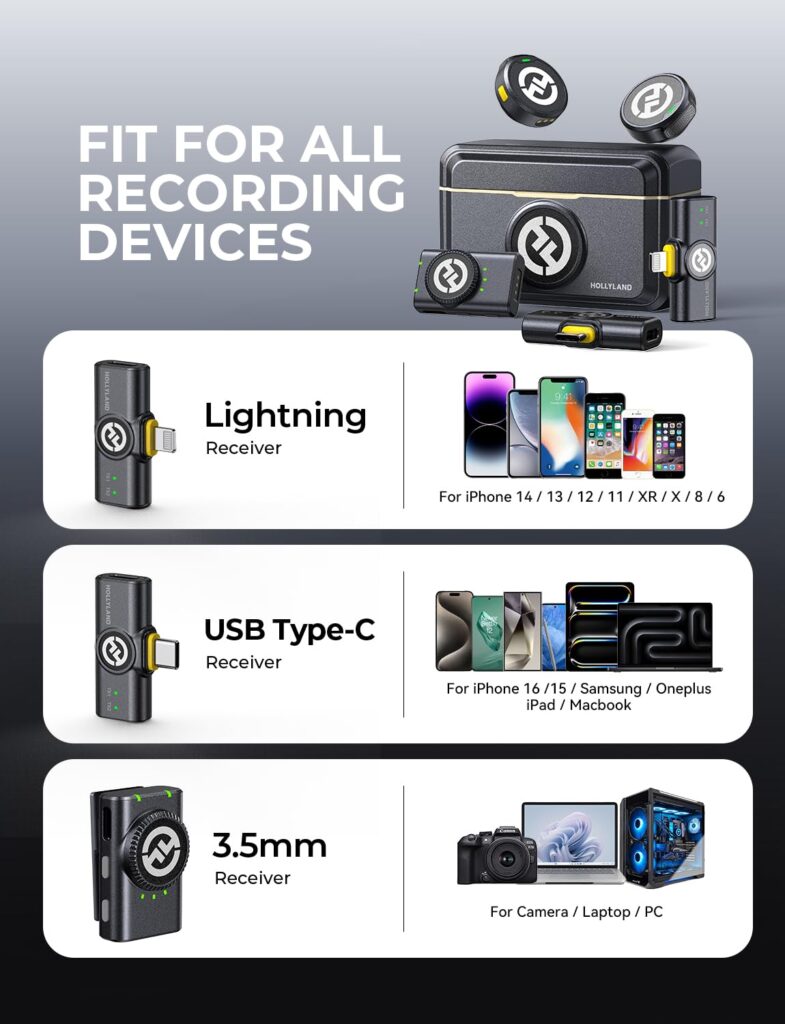
If you’re a beginner who switches between your phone and camera, the Combo Version is absolutely worth the extra money. It comes with all three receivers — a camera mount (3.5mm), a USB-C for Android, and a Lightning for iPhone. You get maximum flexibility in one purchase, and you won’t have to buy anything extra as your setup evolves.
India pricing varies between Flipkart, Amazon, and authorized dealers. The Combo version typically hovers around Rs. 12,000-14,000 on Flipkart and Amazon India, with occasional sale discounts bringing it under Rs. 12,000.
What’s In The Box
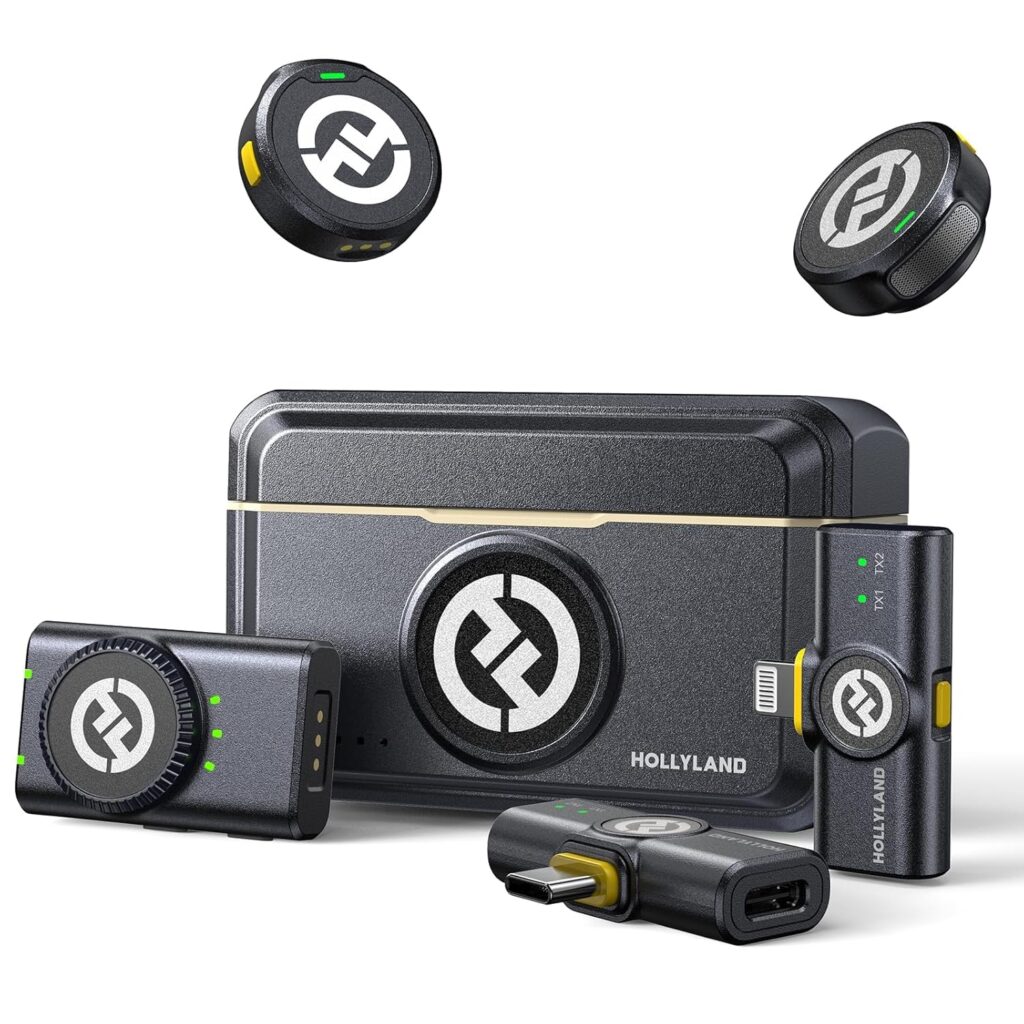
Unboxing the Lark M2 Combo was genuinely satisfying. Here’s what you get:
- 2 x Button Transmitters (TX) with built-in omnidirectional microphones
- 1 x Camera Receiver (RX) with 3.5mm output + volume knob
- 1 x USB-C Mobile Receiver
- 1 x Lightning Mobile Receiver
- 1 x Charging Case (stores and charges everything)
- Magnetic clips and coin magnets for attachment
- Silicone neck lanyards (2x)
- Furry windscreens for outdoor use
- Sticker sheet to customize/cover the Hollyland logo
- USB-C cable + 3.5mm cable
- Drawstring carrying pouch
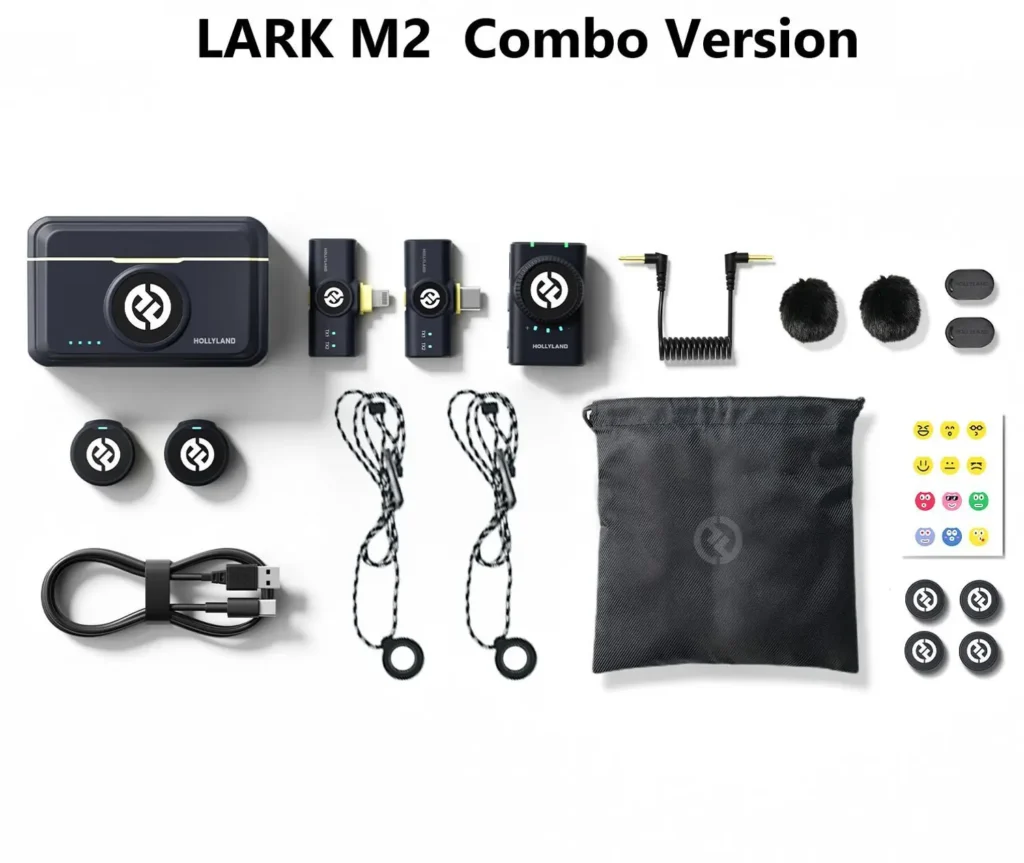
Honestly, the accessory kit is better than mics twice the price. The furry windscreens alone are a detail many budget mics skip. And the stickers? Brilliant — if you don’t want a logo showing in your frame, just cover it.
Design & Build Quality: Why Size Actually Matters
Here’s the thing about mic design that doesn’t get talked about enough: if your mic looks distracting on camera, viewers notice it more than they notice your content. A big, chunky transmitter clipped to your shirt pulls focus. The Lark M2 solves this problem better than any mic in its price class.
The circular TX unit is about the size of a large button (2.54 x 1 cm) and weighs just 9 grams. You can attach it three ways: directly via the magnet through your shirt collar, on the included silicone lanyard like a necklace, or using the belt clip. The magnet sandwich method (one magnet inside, TX outside) is what I use daily — it holds firm, and the mic sits flat against your chest without moving around.
The Camera RX (receiver) has a satisfying chunky volume dial — it’s tactile and easy to adjust even mid-shoot. The build quality feels solid throughout, not plasticky like some budget mics. My only minor gripe: the volume dial on the RX can turn accidentally if you bump it in a bag. Worth taping down or being mindful of.
Audio Quality: The Part That Actually Matters
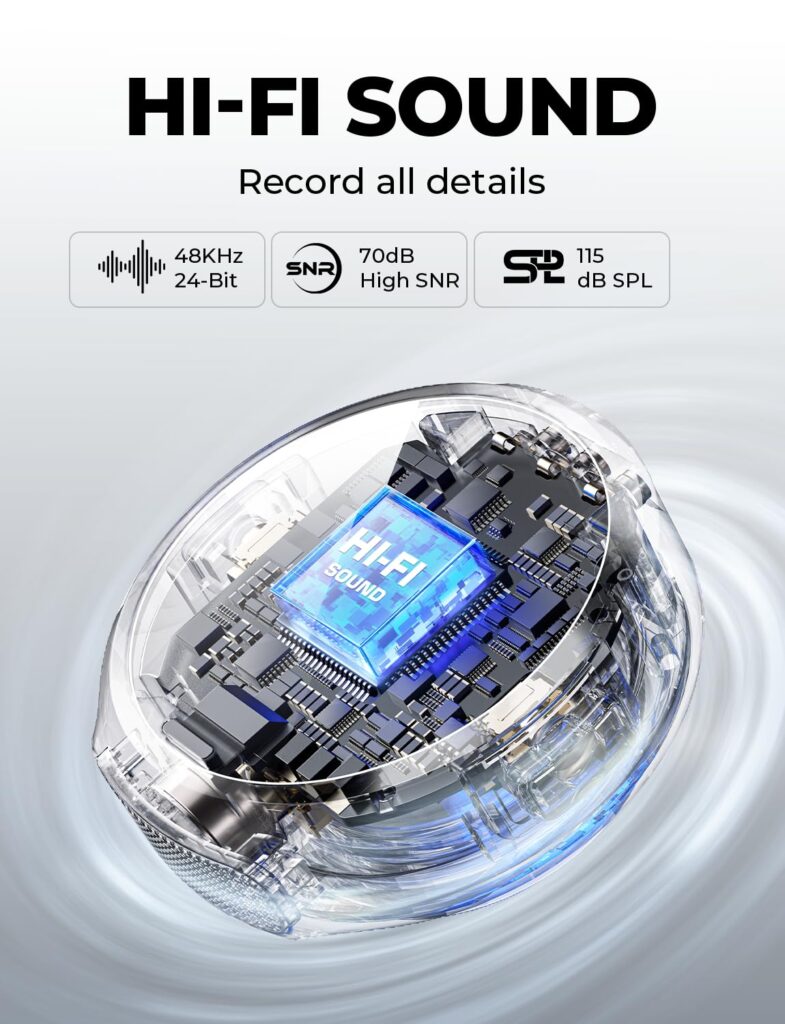
Audio specs on paper: 48kHz/24-bit Hi-Fi recording, 70dB Signal-to-Noise ratio, 115dB maximum sound pressure level (SPL), omnidirectional pickup pattern with environmental noise cancellation (ENC).
Real-world experience: genuinely impressive for the price.
The voice reproduction is warm, clear, and full — none of that tinny, hollow sound you get from cheap wireless mics or phone mics. When I recorded my first video with it indoors, the difference was immediate. My voice sounded like it was recorded in a proper studio, not a bedroom with reverb bouncing off every wall.
The noise cancellation deserves special mention. There are two levels: Light (green LED) and Strong (blue LED), toggled with a single button press on the transmitter. In strong mode, background noise — fan hum, air conditioning, traffic outside — gets noticeably suppressed. For most YouTube and Reels content, light mode is enough. Strong mode is your outdoor best friend.
One honest caveat: strong noise cancellation can slightly smooth out the very high-frequency crispness of your voice. It’s a subtle trade-off, and most viewers will never notice. But audiophiles and podcasters who want maximum natural voice texture might prefer light mode or no ENC.
Range & Wireless Performance
Hollyland claims a 300-metre line-of-sight (LOS) range, and a 40-60 metre non-line-of-sight (NLOS) range for the camera version. In practical terms: for indoor shoots and short outdoor shoots, you will never run into range issues. The signal stays rock solid within any normal room or outdoor space.
The 2.4GHz Adaptive Frequency Hopping (AFH) technology means the mic automatically avoids interference from Wi-Fi routers, phones, and other 2.4GHz devices in your shooting environment. In busy shooting locations like markets, events, or crowded rooms, this matters more than people realize.
For YouTube studio setups or Reels content shot in one room, the range is so overkill it’s almost funny. You could walk into the next room mid-sentence and the signal wouldn’t drop.
Also Read Samsung S24 Ultra Long-Term Review: Should You Buy It in 2026 After the S26 Ultra Launch?
Battery Life: Shoot All Day Without Worry
Each transmitter provides up to 10 hours of battery on a single charge (with ENC off; slightly less with it on). The camera RX gets around 9 hours. The charging case carries enough power to recharge the entire system 3 more times — giving you a total of roughly 40 hours of use before you need to plug into a wall.
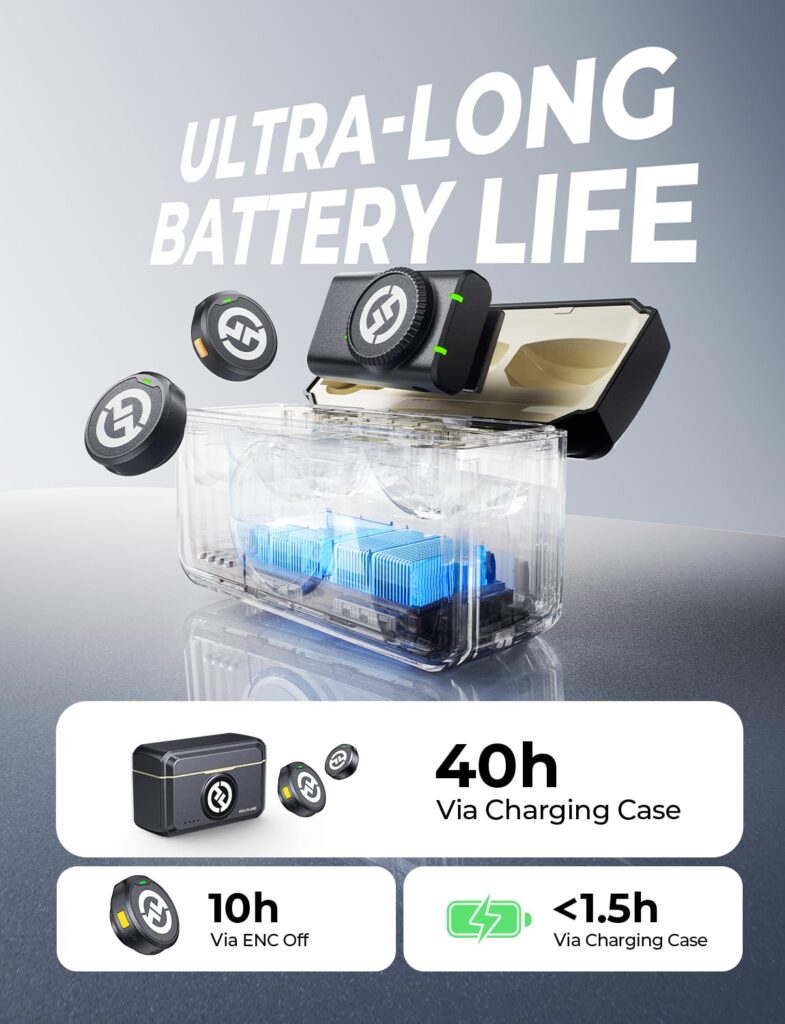
For context: a typical content creator shooting 2-3 hours of footage per day would need to charge the case maybe once or twice a week. This is one of the best battery setups at this price point, period.
The case charges to full in under 2 hours via USB-C. The transmitters auto-power on when you pull them out of the case and auto-off when placed back in. No fumbling with power buttons before a shoot.
Setup & Ease of Use: Literally Plug and Play
This is where the Lark M2 absolutely shines for beginners. The TX and RX units come pre-paired from the factory. You take them out of the box, clip the mic on, plug in the receiver, and you’re recording. No Bluetooth pairing codes, no menu diving, no channel configuration.
The LarkSound app (available on Android and iOS) adds optional control — you can adjust gain levels, switch between noise cancellation modes, check battery status, and update firmware. For beginners, you’ll probably never even need the app. But it’s a nice bonus for creators who want more fine-tuned control.
One genuinely cool feature: double-pressing the noise cancellation button on the TX remotely starts or stops video recording on your phone. This is great for solo creators who set up their phone on a tripod and don’t want to run back to press record.
Hollyland Lark M2 vs The Competition
| Feature | Lark M2 | DJI Mic 2 | Rode Wireless Go 2 |
| Price (India, approx.) | ~Rs. 12,000-14,000 | ~Rs. 28,000-32,000 | ~Rs. 25,000-28,000 |
| Audio Format | 48kHz/24-bit | 48kHz/32-bit float | 48kHz/24-bit |
| Transmitter Weight | 9g | 21g | 31g |
| Range (LOS) | 300m | 250m | 200m |
| Battery (TX) | 10 hours | 5.5 hours | 7 hours |
| Internal Recording | No | Yes (8GB) | Yes (24-bit) |
| Noise Cancellation | Yes (2 levels) | Yes (AI) | Yes |
| Auto-pair on unbox | Yes | No | No |
| Best For | Beginners, budget | Pro creators | Pro vloggers |
The Lark M2 punches way above its price. The DJI Mic 2 and Rode Wireless Go 2 are both excellent mics, but they cost almost double or more. If you’re just starting out and don’t need internal backup recording (which the DJI Mic 2 offers), the Lark M2 is simply the smarter buy.
Who Should Buy the Hollyland Lark M2?
This mic is ideal for:
- YouTube beginners who want a serious audio upgrade without a serious price tag
- Instagram Reels and YouTube Shorts creators who need clean audio fast
- Vloggers who shoot on the go and need something small and invisible
- Content creators who switch between phone and camera
- Podcasters doing mobile or outdoor recording
- Students and educators recording online classes
Who might want to look elsewhere:
- Pro filmmakers who need internal recording as a backup (look at DJI Mic 2)
- Studio podcasters who want a dedicated desk mic (a USB condenser mic would serve better)
Pros & Cons Summary
| PROS | CONS |
| Incredibly small and discreet 9g transmitter | No 3.5mm lavalier input on transmitter |
| Crystal clear 48kHz/24-bit audio quality | Volume dial can shift accidentally in a bag |
| Zero setup — pre-paired from factory | Strong ENC slightly affects vocal texture |
| 40-hour total battery with charging case | No internal recording/backup audio |
| Works with camera, Android, and iPhone | Range in NLOS environments is limited (~40-60m) |
| Excellent value for money in India | |
| Remote record trigger via TX button |
Helpful Resources & Where to Buy
Official Hollyland Lark M2 product page:
Buy on Amazon India: search ‘Hollyland Lark M2 Combo‘ on amazon.in — prices typically range Rs. 11,999 to Rs. 14,999.
Buy on Flipkart India: search ‘Hollyland Lark M2 Combo‘ on flipkart.com — often available with bank card discounts.
LarkSound App (Android): Click here
LarkSound App (iOS): Click here
Hollyland’s comparison of all Lark M2 versions:
FAQ: Hollyland Lark M2 — Answers for Beginners
Is the Hollyland Lark M2 good for beginners?
Absolutely. It requires zero technical knowledge to set up, pairs automatically, and delivers audio quality that would have cost 3-4x more just a few years ago. It’s arguably the best first wireless mic for any content creator.
What is the Hollyland Lark M2 price in India?
The Combo version (all receivers included) is typically priced between Rs. 12,000 and Rs. 14,000 on Amazon India and Flipkart. Individual camera or mobile versions are cheaper, starting around Rs. 9,000-10,000.
Does the Hollyland Lark M2 work with an Android phone?
Yes. The USB-C receiver plugs directly into any Android phone with a USB-C port. No apps needed — it works as a plug-and-play USB audio device recognized by your phone instantly.
Does it work with iPhone?
Yes, the Lightning receiver is MFi-certified and compatible with iPhones that use a Lightning port. If you have an iPhone 15 or later with USB-C, use the USB-C receiver instead.
How long does the battery last on the Hollyland Lark M2?
Each transmitter lasts up to 10 hours on a single charge (with ENC off). The charging case adds 3 more full charges, giving you a total of around 40 hours before you need to plug into a wall charger.
Can I use the Lark M2 for interviews with two people?
Yes! The Combo kit includes two transmitters, both of which can connect to the camera receiver simultaneously. It’s perfect for interview-style YouTube videos or podcast recordings with two guests.
Is the Hollyland Lark M2 better than the DJI Mic 2?
For beginners and budget-conscious creators: yes, the Lark M2 is the better value. The DJI Mic 2 is a superior mic in absolute terms (32-bit float, internal recording), but it costs double. Unless you specifically need those pro features, the Lark M2 is the smarter buy.
Final Verdict: Should You Buy the Hollyland Lark M2?
After months of using the Hollyland Lark M2 as my go-to microphone for all my content creation work, my answer is a firm yes — especially if you’re a beginner who’s tired of bad audio holding your content back.
It’s not perfect. It lacks internal recording, and the strong ENC has a slight smoothing effect on vocals. But for Rs. 12,000-14,000, you’re getting 48kHz/24-bit audio quality, a beautifully discreet form factor, 40-hour battery life, and literally zero-effort setup. That combination is hard to beat anywhere close to this price.
If you’re shooting YouTube videos, Instagram Reels, vlogs, or online classes, and you want your audience to stop noticing your audio and start focusing on your content — the Hollyland Lark M2 is the upgrade you’ve been putting off for too long. Stop overthinking it.
Final Rating: 9/10
| Criteria | Score |
| Audio Quality | 9/10 |
| Build & Design | 9/10 |
| Ease of Use | 10/10 |
| Battery Life | 9/10 |
| Value for Money | 9/10 |
| Noise Cancellation | 8/10 |
| OVERALL | 9/10 |
Don’t Miss MacBook Air M4 vs M5 (2026): Price in India, Performance & Which One to Buy
Google Gemini vs ChatGPT vs Copilot India: Which AI Wins in 2026?
[…] Hollyland Lark M2 Review: Is This the Best Budget Mic for YouTube & Reels? Samsung S24 Ultra Long-Term Review: Should You Buy It in 2026 After the S26 Ultra Launch? MacBook Air M4 vs M5 (2026): Price in India, Performance & Which One to Buy Google Gemini vs ChatGPT vs Copilot India: Which AI Wins in 2026? YouTube Premium Lite India ₹89: Is It Actually Worth It in 2026? […]
[…] Hollyland Lark M2 Review: Is This the Best Budget Mic for YouTube & Reels? Samsung S24 Ultra Long-Term Review: Should You Buy It in 2026 After the S26 Ultra Launch? MacBook Air M4 vs M5 (2026): Price in India, Performance & Which One to Buy Google Gemini vs ChatGPT vs Copilot India: Which AI Wins in 2026? YouTube Premium Lite India ₹89: Is It Actually Worth It in 2026? […]
[…] Hollyland Lark M2 Review: Is This the Best Budget Mic for YouTube & Reels? Samsung S24 Ultra Long-Term Review: Should You Buy It in 2026 After the S26 Ultra Launch? MacBook Air M4 vs M5 (2026): Price in India, Performance & Which One to Buy Google Gemini vs ChatGPT vs Copilot India: Which AI Wins in 2026? YouTube Premium Lite India ₹89: Is It Actually Worth It in 2026? […]